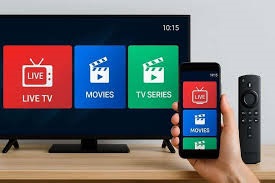
Streaming has reshaped home entertainment. Viewers expect fast access, flexible channel options, and consistent playback without complicated wiring or contracts. A firestick iptv configuration delivers exactly that. With the right setup, we gain instant access to live TV, on demand content, and international channels while maintaining control over viewing preferences.
This guide presents a complete, structured approach to installation, configuration, optimization, and troubleshooting so new users can move from unboxing to streaming in minutes.
Understanding Firestick IPTV Before Setup
A firestick iptv system combines a compact streaming device with internet delivered television. Instead of relying on satellite signals or cable infrastructure, content travels through broadband connections. This allows faster deployment, portable use, and scalable channel packages.
Key advantages include:
- Minimal hardware requirements
- Rapid installation
- High definition streaming capability
- Portable entertainment across locations
- User controlled channel libraries
Modern households prefer solutions that eliminate technical friction. This setup meets that demand.
Requirements for a Successful Installation
Preparation prevents interruptions during configuration. Before starting, confirm that the following components are ready:
- Fire TV Stick device
- HDMI compatible television
- Stable WiFi connection with at least 15 Mbps speed
- Active IPTV service credentials
- Amazon account for device activation
Internet stability remains the most critical factor. Speeds below recommended levels may cause buffering or reduced resolution.
Step by Step Device Preparation
Begin by connecting the Fire TV Stick directly into the television HDMI port. Use the supplied power adapter rather than relying on the TV USB port. External power ensures consistent performance.
Follow these steps:
- Switch the television input to the correct HDMI channel.
- Pair the remote when prompted.
- Connect to the WiFi network.
- Sign in with the Amazon account.
- Allow automatic firmware updates.
Updates improve security, streaming compatibility, and app performance. Skipping them often creates playback issues later.
Installing the IPTV Application
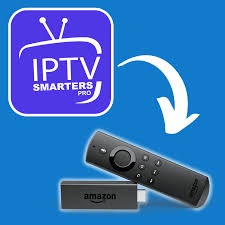
After preparing the device, the next step involves installing a compatible media player.
Navigate to the app store and search for a trusted IPTV player. Download and launch it once installation completes.
During first launch:
- Accept permissions
- Choose playlist format
- Enter login credentials
- Sync channel data
Within minutes, the interface populates with categories such as sports, movies, kids programming, and global broadcasts.
At this stage, the firestick iptv environment becomes fully functional.
Configuring IPTV Credentials Properly
Accuracy matters when entering service details. Even a small typo prevents authentication.
Typical credential formats include:
- M3U playlist URL
- Xtream Codes API
- Username and password
Paste links carefully to avoid hidden spaces. Many users copy credentials from email. Double check formatting before submission.
Once verified, the system downloads channel metadata and electronic program guides.
Optimizing Streaming Quality
A properly tuned firestick iptv setup enhances both picture clarity and playback stability.
Adjust these settings immediately:
Video Resolution
Select Auto when unsure. Advanced users may lock resolution to 1080p or 4K based on bandwidth.
Buffer Size
Increase buffer length if occasional stutter appears.
Router Placement
Keep the router within line of sight. Walls and metal surfaces weaken signal strength.
Background Apps
Close unused apps to free memory.
Performance improvements often appear instantly after these adjustments.
Security and Privacy Practices
Streaming devices operate continuously, which makes security essential.
Protect the system with these measures:
- Use strong WiFi passwords
- Enable device level parental controls
- Install apps only from reputable sources
- Update software regularly
A secure network prevents unauthorized access and maintains consistent streaming reliability.
Common Mistakes New Users Should Avoid
Many first time users rush through setup. Avoiding these errors ensures smoother operation.
Using Slow Internet
Buffering almost always traces back to bandwidth limitations.
Ignoring Updates
Outdated firmware causes compatibility failures.
Overloading the Device
Installing too many apps reduces available memory.
Incorrect Login Details
Credential errors remain the most common activation problem.
A disciplined setup approach transforms the firestick iptv experience from average to exceptional.
Improving Navigation for Faster Viewing
Efficiency matters when browsing large channel libraries.
Apply these navigation tips:
- Mark favorite channels
- Enable recent channel shortcuts
- Customize category order
- Use voice search when available
Small adjustments reduce browsing time and increase viewing satisfaction.
Advanced Performance Enhancements
Users seeking peak performance can apply deeper optimization strategies.
Use Ethernet Adapter
A wired connection often delivers lower latency than wireless networks.
Restart Weekly
Regular reboots clear temporary cache files.
Limit Data Heavy Background Tasks
Pause large downloads on other devices during streaming.
Adjust Display Matching
Enable frame rate matching for smoother motion.
These refinements elevate a standard firestick iptv configuration into a premium streaming system.
Troubleshooting Playback Issues
Even well configured devices may encounter occasional interruptions. Most problems resolve quickly with structured diagnostics.
Buffering
Test internet speed. Restart router if needed.
App Crashes
Clear cache from device settings.
Audio Sync Problems
Restart the application or toggle surround sound settings.
Channels Not Loading
Refresh playlist data.
Consistency improves when maintenance becomes routine.
Why Firestick IPTV Continues to Grow in Popularity
Market trends show strong adoption of internet based television. Consumers prioritize flexibility and cost efficiency.
Primary growth drivers include:
- Expansion of fiber networks
- Rising demand for portable entertainment
- Growth of smart home ecosystems
- Preference for customizable channel bundles
A modern firestick iptv system aligns with these viewing habits while keeping setup straightforward.
Maintenance Tips for Long Term Reliability
Protect performance with ongoing care.
- Keep storage above 1 GB free
- Remove unused applications
- Check for firmware updates monthly
- Reboot after major updates
Preventive maintenance extends device lifespan and sustains streaming quality.
Future Ready Streaming Experience
Technology continues to evolve toward higher resolution formats, smarter recommendation engines, and faster compression methods. A well configured firestick iptv platform adapts easily to these upgrades without requiring hardware replacement.
Users gain a scalable entertainment hub capable of meeting future streaming standards.
Conclusion
A structured installation transforms streaming into a seamless daily experience. When configured correctly, a firestick iptv solution delivers fast channel access, strong picture quality, and flexible viewing without technical complexity. Preparation, accurate credential entry, network stability, and regular maintenance form the foundation of reliable performance. By following the steps outlined above, new users position themselves for uninterrupted entertainment and long term device efficiency.
FAQs
1. How long does installation usually take?
Most users complete setup within 10 to 15 minutes when credentials and internet are ready.
2. What internet speed delivers smooth playback?
At least 15 Mbps supports HD streaming. Speeds above 25 Mbps improve stability for higher resolutions.
3. Can the device connect to any television?
Any TV with an HDMI port supports the Fire TV Stick.
4. Why do some channels buffer while others play smoothly?
Server load and network congestion often influence individual channel performance.
5. Is technical expertise required for setup?
No. The interface guides users through each stage with simple prompts.
For more information: Fire IPTV Hub